-
 play_arrow
MPT Radio Top Music Radio
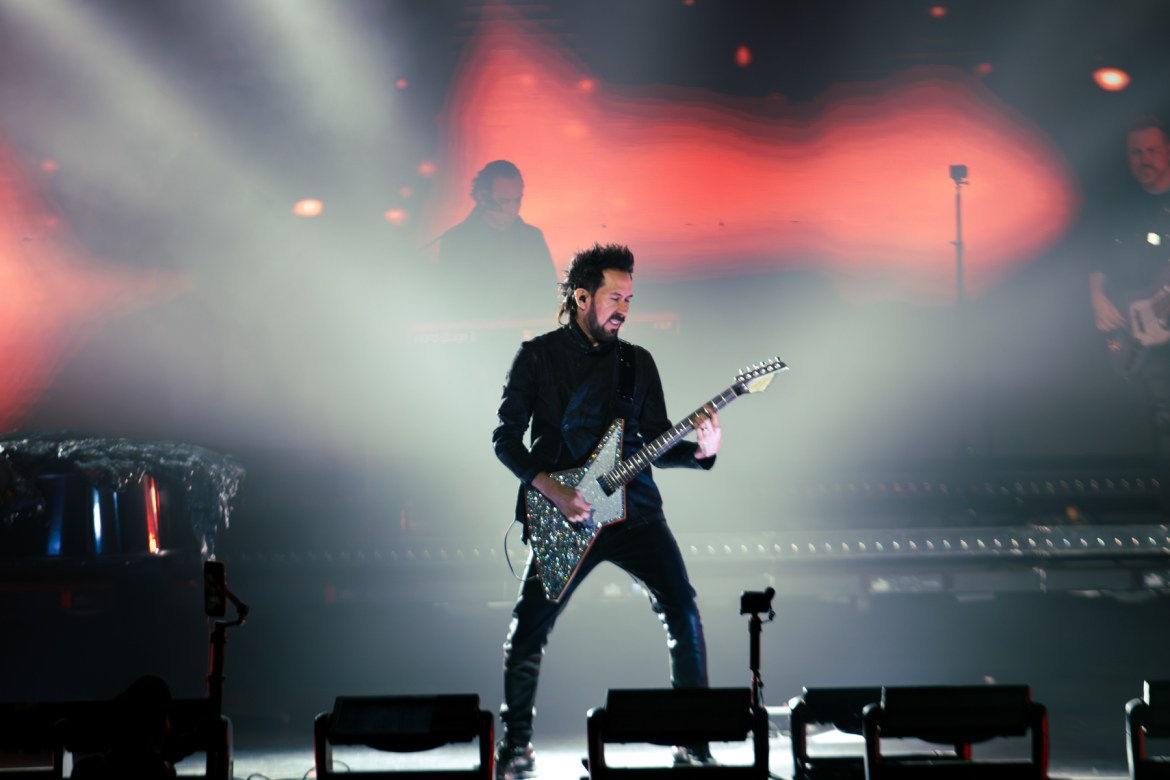
Mexican Trio Camila takes over Houston’s Smart Financial Center for a night full of nostalgia amongst all the Houston latinos.
Camila is a legendary band well known for their ballad pop style and Latin pop rock sound, as well as their touching lyrics. The group is made up of founder Mario Domm, guitarist Pablo Hurtado, and vocalist Samuel Parra. They have been active since 2005 and are now back on tour together as a complete trio, something that we have not seen since 2013.
Camila stopped by the Smart Financial Centre in Sugar Land, where generations of fans filled the seats. From young children to grandparents, families gathered together to hear the songs they grew up with performed live.


The show began with guitarist Pablo Hurtado stepping onto the stage to showcase his incredible skills. Soon after, his bandmates joined him, and they serenaded the crowd with songs like “Incendio,” “Fugitivos,” and “Mientes.”
During intermissions for outfit and set changes, documentary-style videos played on the screens, showing clips of the band throughout the years and telling their story. I really enjoyed learning about their history through these videos, especially as each member had the chance to speak individually to the audience. Another highlight was when a mariachi band joined them onstage to perform. This was a beautiful touch that honored their Mexican roots.


The band wrapped up the show with Latino classics like “Aléjate de Mí,” “De Qué Me Sirve la Vida,” and “Todo Cambió.” It was truly special to see this legendary Mexican act perform with renewed passion and gratitude for the long career they have had.
The post Mexican Trio Camila Brings Nostalgia to Houston’s Smart Financial Center first appeared on Off Record Media.


Now on air
Upcoming shows